MERCADOS FINANCIEROS

martes, 29 de enero de 2019

MOVER AUDITORIA 12c

select table_name,tablespace_name from dba_tables where TABLE_NAME='AUD$';

select table_name,tablespace_name from dba_tables where TABLE_NAME='FGA_LOG$';

select table_name,tablespace_name from dba_tables where TABLE_NAME in ('AUD$','FGA_LOG$')

OPCION 1


TABLE_NAME TABLESPACE_NAME

------------------------------ ------------------------------
AUD$ AUDITORIA


SQL> alter table sys.aud$ move tablespace AUDITORIA;

Table altered.

VERSION 11G
SQL> alter table sys.fga_log$ move tablespace AUDITORIA;

alter table sys.fga_log$ move tablespace AUDITORIA

*
VERSION 12C
OPCION 2 (MEJOR PRACTICA)


BEGIN
  DBMS_AUDIT_MGMT.set_audit_trail_location(
    audit_trail_type           => DBMS_AUDIT_MGMT.AUDIT_TRAIL_FGA_STD,
    audit_trail_location_value => 'AUDITORIA');
END;
/

VALIDAR SI ESTA ACTIVA LA AUDITORIA VERSION 12C

select value from v$option where parameter = 'Unified Auditing'


LIMIPIAR AUDITORIA UNIFICADA

SQL> execute dbms_audit_mgmt.flush_unified_audit_trail 

PL/SQL procedure successfully completed.


lunes, 28 de enero de 2019

Create AWR report to compare two time periods


Create AWR report to compare two time periods

Oracle Database Tips by Donald BurlesonDecember 14, 2015
Question:  A plain AWR report compares two points in time, but I want to generate an AWR report that compares two distinct time periods.  For example, I want an AWR report showing changes between 3:00 PM and 4: PM last Wednesday and Thursday.  How do I get an AWR report that compares two elapsed time periods?
Answer:  The awrddrpt.sql report is the Automated Workload Repository Compare Period Report. The awrddrpt.sql script is located in the $ORACLE_HOME/rdbms/admin directory. 
For example, is we wanted to compare the period between 3:00 PM-4:00 PM for Wednesday to the same time period on Thursday, we could use the awrddrpt.sql script.
Specify the First Pair of Begin and End Snapshot Ids
~~~~~~~~~~~~~~~~~~~~~~~~~~~~~~~~~~~~~~~~~~~~~~~~~~~~
Enter value for begin_snap: 13747
First Begin Snapshot Id specified: 13747

Enter value for end_snap: 13749
First End Snapshot Id specified: 13748

Specify the Second Pair of Begin and End Snapshot Ids
~~~~~~~~~~~~~~~~~~~~~~~~~~~~~~~~~~~~~~~~~~~~~~~~~~~~~
Enter value for begin_snap2: 13915
Second Begin Snapshot Id specified: 13915

Enter value for end_snap2: 13917
Second End Snapshot Id specified: 13916

Here is an example of an awrddrpt.sql report  showing how two AWR reports are compared.

viernes, 25 de enero de 2019

TRIGGER AFTER LOGON

CREATE OR REPLACE TRIGGER LOG_T_LOGON
AFTER LOGON ON DATABASE
DECLARE
    osUser VARCHAR2(30);
    machine VARCHAR2(100); 
    prog VARCHAR2(100);
    ip_user VARCHAR2(15);
BEGIN
    SELECT OSUSER, MACHINE, PROGRAM, ora_client_ip_address
    INTO osUser, machine, prog, ip_user
    FROM v$session
    WHERE SID = SYS_CONTEXT('USERENV', 'SID');

    IF (osUser = 'APuente' AND prog = 'SQL Developer')THEN
        RAISE_APPLICATION_ERROR(-20000,'Denied!  You are not allowed to logon from host '||prog|| ' using '|| osUser);
    END IF;
END;
/

lunes, 21 de enero de 2019

BACKUP CONTROLFILE TO TRACE BACKUP CURRENT CONTROLFILE

SQL> alter database backup controlfile to trace as '/u01/backup/control.trc';

Database altered.


SQL> alter database backup controlfile to trace;

LUEGO DE EJECUTAR ESTO DEBEMOS IR A LAS VISTA V$DIAG_INFO Y CONSULTAR LA RUTA TRACE QUE ES DONDE GENERA LA COPIA

NOTA: BUSCAR X FECHA   SID_ORA_###.trc


RMAN> BACKUP AS COPY CURRENT CONTROLFILE FORMAT '/u01/backup/controlfile.bck';

Starting backup at 21-JUL-20
using channel ORA_DISK_1
channel ORA_DISK_1: starting datafile copy
copying current control file
output file name=/u01/backup/controlfile.bck tag=TAG20200721T204557 RECID=1 STAMP=1046378759
channel ORA_DISK_1: datafile copy complete, elapsed time: 00:00:03
Finished backup at 21-JUL-20

Starting Control File and SPFILE Autobackup at 21-JUL-20
piece handle=+FRA/ACME/AUTOBACKUP/2020_07_21/s_1046378761.298.1046378761 comment=NONE
Finished Control File and SPFILE Autobackup at 21-JUL-20

RMAN> 


Oracle Database 12c: EM Database Express

Oracle Database 12c: EM Database Express


Oracle Enterprise Manager Database Express, also referred to as EM Express, is a web-based tool for managing Oracle Database 12c. Built inside the database server, it offers support for basic administrative tasks such as storage and user management, and provides comprehensive solutions for performance diagnostics and tuning.. 

EM Express Architecture

EM Express is designed to be lightweight and to incur minimal overhead on the database server. In order to achieve this goal, EM Express is built inside the Oracle Database and only uses internal infrastructure components. . such as XDB and SQL*Net. It does not require any separate middle-tier components.

Since EM Express is built inside the database, the database has to be open in order to use EM Express, and EM Express cannot perform actions outside the database.

EM Express does not have background tasks or processes that periodically collect information. Instead, it utilizes data that is already collected by the database. Data is requested only when the user interacts with the UI and all UI processing is done in the browser, thus minimizing load on the database server.

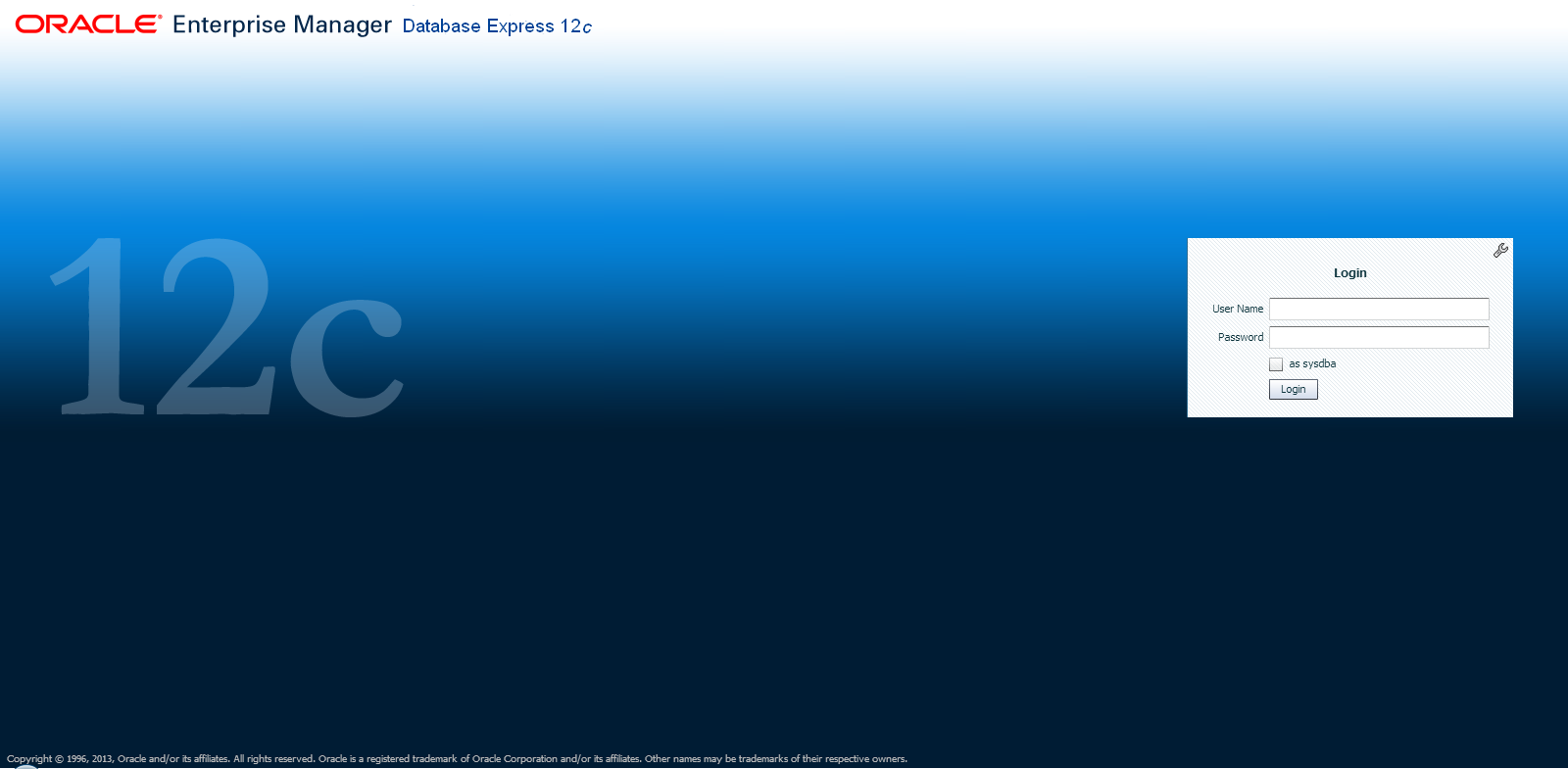
EM Express Login

EM Express introduces two key features:
The Performance Hub provides a consolidated view of all performance data for a given time range.  The performance data shown includes ASH Analytics, SQL Monitor, ADDM, as well as metrics that describe workload characteristics and database resource usage.  For more information, see the section on Performance Hub

A Composite Active Report is a single HTML file that embeds a set of correlated active reports, allowing the user to navigate from one active report to another without requiring a connection to the database.  Composite Active Reports are a significant enhancement to the Active Report technology introduced in Oracle Database 11g.  For more information, see the section on Composite Active Reports.

In order to assist a Database Administrator, EM Express also provides support for basic administrative tasks such as storage and user management.  For more information, see the section on EM Express Administration Functions.

    Frequently Asked Questions

      Answers

      How do I log into EM Express?

      A user can log into EM Express by using a browser and opening the URL to https://:/em.  A login page will be displayed, and the user can log in with any valid DB credential.


      How can I find the port on which EM Express is configured?

      When dbca completes, it indicates the port on which EM Express is configured.  If that information is no longer available, there are two ways to find the HTTP/HTTPS port for EM Express:
      > lsnrctl status | grep HTTP
        (DESCRIPTION=(ADDRESS=(PROTOCOL=tcps)(HOST=xxx.us.oracle.com)(PORT=5500))(Security=(my_wallet_directory=/u01/oracle/app/oracle/admin/orcl/xdb_wallet))(Presentation=HTTP)(Session=RAW))
      or from SQL*Plus:
      SQL> select dbms_xdb.getHttpPort() from dual;
      GETHTTPPORT
      -----------
             8080

      SQL> select dbms_xdb_config.getHttpsPort() from dual;


      GETHTTPSPORT
      ------------
              5500


      How can I give users read-only access to EM Express?

      To grant users read-only access so that they can view the UI but not make any changes, grant them the EM_EXPRESS_BASIC role as follows:
      SQL> grant EM_EXPRESS_BASIC to ;


      Does EM Express have support for RAC?

      Yes.  EM Express is a database management tool that is automatically RAC-aware.  When connected to a RAC system, the information displayed is for the entire database, i.e. for all instances.  For example, the average active session values is aggregated across all instances.  In addition, an extra Instances tab is displayed in the Performance Region on the DB Home Page to show the distribution of average active sessions across instances.

      How can I configure EM Express on CDB and PDB?

      Users can configure EM Express both at the root and the PDB containers, with each container using a different HTTP/HTTPS port.  When connected to the root container, the information displayed is for the entire database including all PDBs.  When connected to a PDB, the information displayed is restricted to data for the PDB.  For more information, see the section on EM Express on CDB.

      Do I need any database privileges to use EM Express?

      In order to use EM Express, a database user needs to have been granted the EM_EXPRESS_BASIC or EM_EXPRESS_ALL role.  The DBA role includes both the EM_EXPRESS_BASIC and the EM_EXPRESS_ALL roles.
      EM_EXPRESS_BASIC grants a user read-only privileges, so that the user can view pages but not perform any actions.  EM_EXPRESS_ALL grants a user all privileges required to perform any action in EM Express.


      Do I need licenses or packs to use EM Express?

      You can use the basic administration features offered by EM Express with no additional licenses.  However, to use the performance features, you will need the Oracle Diagnostics Pack.  For the Performance Hub, you will need the Diagnostics Pack and for the SQL Monitor and SQL Tuning Advisor features, you will need the Tuning Pack.
      Depending on what packs you own, you should set the control_management_pack_access init.ora parameter on your system.  For example, if you have the Diagnostics Pack, but not the Tuning Pack, you should set the control_management_pack_access parameter=DIAGNOSTIC.


      Is EM Express supported on Oracle Database Standard Edition?  What about Database XE?

      Yes, EM Express is supported on both Standard Edition (SE) and Express Edition (XE).  However, features that require the Diagnostics and Tuning Packs will not be available on SE and XE.  For example, the Performance Menu won't be available on SE and XE because the features require the Diagnostics or Tuning Packs.  Similarly, certain regions of the Home Page, such as the SQL Monitor List, will not be shown on SE and XE because they require the Tuning Pack.


      When using EM Express on RAC, how can I see instance-specific information?

      Although EM Express is RAC-aware in general, some pages will allow you to view instance-specific information as well.  There are two ways to get to this instance-specific information.

      The first way is using the Status Region in the Home Page.  You can click the "RAC - instance(s) up" link and it will take you to a page with the instance details.  You can now select an instance and navigate to the Performance Hub, the Instance Home Page, or the Memory Page for the selected instance.

      The second way is through the Performance Hub.  If you click the RAC tab, you will see a list of instances.  From this list, you can now select an instance and navigate to the Performance Hub, the Instance Home Page, or the Memory Page for the selected instance.

      For Undo Details, the information is always instance-specific.  When you navigate to the Undo Management page using the Storage menu, you are taken to a page that lists all the instances and the undo summary information for each instance.  You can now select an instance and navigate to the Undo Details Page for the selected instance.


      EM Express seems slow when using HTTPS.  Why?

      Some browsers disable caching if you are using SSL and have a self-signed certificate.  This is known to occur on Chrome and Safari.  To avoid this issue, use a CA certificate when using HTTPS or use a browser that supports caching when using self-signed certificates (Firefox or IE).


      Can I run EM Express in Safari?

      Yes, you can run EM Express in Safari on MacOS.  You can also run EM Express in Safari 5.0.* on Windows, but Safari 5.1.* on Windows is known to have an issue with input text fields that prevents users from entering their username and password on the login page


      What is the recommended screen resolution for EM Express?

      Although the EM Express UI dynamically resizes based on the screen real-estate available, it works best with resolutions of at least 1280x1024 or 1600x900.


      How do I set up EM Express?

      DBCA allows you to set up EM Express at the time of database creation.

      If you want to manually set up EM Express, simply configure the HTTPS or HTTP port by logging into the database and setting the port:
      SQL> exec dbms_xdb_config.sethttpsport(5500);

      or

      SQL> exec dbms_xdb_config.sethttpport(8080);
      If you are using a listener TCP port other than 1521, you will also need to set the dispatchers and local_listener initialization parameters.  Please see the documentation for further information.

      I'm trying to perform a task I used to do in DB Control.  Where is it in EM Express?

      Although EM Express provides support for basic administrative tasks, it is not a direct replacement for DB Control.  As explained in the Architecture section, EM Express is built inside the database server and cannot perform actions outside the database.  Also, EM Express is focused primarily on providing performance management and monitoring functionality, and is not meant to be an all-around database administration tool.


      Is EM Express secure?

      Yes, EM Express uses SSL (HTTPS) out of the box.


      Why am I getting a "This Connection is untrusted" message when I try to log into EM Express?  Is this a security concern?

      The browser displays this message if you are using a self-signed certificate.  You can either create an exception for it, or you can replace the default wallet/certificate with a trusted certificate.  See the documentation for more information.


      How can I replace the default wallet/certificate?

      The XDB wallet is stored in the $ORACLE_BASE/admin//xdb_wallet directory .  If ORACLE_BASE is not defined, the XDB wallet is stored in $ORACLE_HOME/admin//xdb_wallet, where is the unique database name.


      What should I do if the default XDB wallet expires?

      If the wallet expires, you can create a new wallet with an existing SSL certificate and replace the existing wallet with the new one.  Alternatively, you can use dbms_xdb.installDefaultWallet() to replace the existing wallet with a new Oracle wallet that has a self-signed certificate.


      martes, 15 de enero de 2019

      TAMANO TABLAS


      SQL> execute dbms_stats.gather_schema_stats('HR');

      PL/SQL procedure successfully completed.

      SQL> 


      SQL> execute dbms_stats.gather_table_stats('HR','EMPLOYEES');

      PL/SQL procedure successfully completed.


      SQL> select num_rows, blocks*8192/1024/1024 mb from dba_tables where table_name = 'EMPLOYEES';

        NUM_ROWS    MB
      ---------- ----------
             107   ,0390625


      SQL> select num_rows, blocks*8192/1024/1024 mb from dba_tables where table_name = 'EMPLOYEES';

      NUM_ROWS MB

      —————————— ——————————

      10308870 1522.625

      EJEMPLOS ROWNUM


      first sort the rows and then extract five rows from that sorted dataset.
      SQL> select *

      2 from (

      3 select question_id, created

      4 from asktom.ate_submitted_questions

      5 order by created desc

      6 )

      7 where rownum <= 5;


      Listing 4: Disk size of total sales transactions

      SQL> select num_rows, blocks*8192/1024/1024 mb

      2 from user_tables

      3 where table_name = 'SALES_TRANSACTIONS';

      NUM_ROWS MB

      —————————— ——————————

      10308870 1522.625


      lunes, 14 de enero de 2019

      ORAPWD

      1. Create the password file.  This is done by executing the following command
      cd $ORACLE_HOME/dbs
      $ orapwd file=filename  password=password entries=max_users

      filename = Nombre de la instancia. orapworcl  orapwacme

      Ejemplo orcl el archivo de password se debe llamar orapworcl

      miércoles, 26 de diciembre de 2018

      DUPLICATE LOCATION UNTIL TIME

      DUPLICATE target DATABASE TO 'TRGT'
      UNTIL TIME "TO_DATE('03/03/2011 20:04:00','MM/DD/YYYY HH24:MI:SS')"  #after controlfile backup
      SPFILE
      set memory_max_target='4g'
      set memory_target='4g'
      set control_files='/u02/oracle/TRGT/db/apps_st/data/cntrl01.dbf','/u10/oracle/TRGT/db/apps_st/data/cntrl02.dbf'
      set db_file_name_convert='/u10/oracle/SRCDB/db/apps_st/data','/u10/oracle/TRGT/db/apps_st/data','/u11/oracle/SRCDB/db/apps_st/data','/u11/oracle/TRGT/db/apps_st/data'
      set log_file_name_convert='/u10/oracle/SRCDB/db/apps_st/data','/u10/oracle/TRGT/db/apps_st/data','/u11/oracle/SRCDB/db/apps_st/data','/u11/oracle/TRGT/db/apps_st/data'
      set audit_file_dest='/u02/oracle/TRGT/admin/adump'
      set db_recovery_file_dest='/arch/flash_recovery_area'
      set diagnostic_dest='/u02/oracle/TRGT'
      BACKUP LOCATION '/arch/flash_recovery_area/SRCDB';

      viernes, 30 de noviembre de 2018

      CONFIGURE EXCLUDE FOR TABLESPACE

      RMAN> CONFIGURE EXCLUDE FOR TABLESPACE EXAMPLE;

      RMAN> SHOW ALL;

      RMAN configuration parameters for database with db_unique_name ORCL are:
      CONFIGURE RETENTION POLICY TO RECOVERY WINDOW OF 5 DAYS;
      CONFIGURE BACKUP OPTIMIZATION OFF; # default
      CONFIGURE DEFAULT DEVICE TYPE TO DISK; # default
      CONFIGURE CONTROLFILE AUTOBACKUP ON;
      CONFIGURE CONTROLFILE AUTOBACKUP FORMAT FOR DEVICE TYPE DISK TO '%F'; # default
      CONFIGURE DEVICE TYPE DISK PARALLELISM 1 BACKUP TYPE TO BACKUPSET; # default
      CONFIGURE DATAFILE BACKUP COPIES FOR DEVICE TYPE DISK TO 1; # default
      CONFIGURE ARCHIVELOG BACKUP COPIES FOR DEVICE TYPE DISK TO 1; # default
      CONFIGURE MAXSETSIZE TO UNLIMITED; # default
      CONFIGURE ENCRYPTION FOR DATABASE OFF; # default
      CONFIGURE ENCRYPTION ALGORITHM 'AES128'; # default
      CONFIGURE COMPRESSION ALGORITHM 'BASIC' AS OF RELEASE 'DEFAULT' OPTIMIZE FOR LOAD TRUE ; # default
      CONFIGURE RMAN OUTPUT TO KEEP FOR 7 DAYS; # default
      CONFIGURE EXCLUDE FOR TABLESPACE 'EXAMPLE';
      CONFIGURE ARCHIVELOG DELETION POLICY TO NONE; # default
      CONFIGURE SNAPSHOT CONTROLFILE NAME TO '/u01/app/oracle/product/12.1.0/db_1/dbs/snapcf_orcl.f'; # default

      RMAN>


      RMAN> CONFIGURE EXCLUDE FOR TABLESPACE EXAMPLE CLEAR;

      Tablespace EXAMPLE will be included in future whole database backups
      old RMAN configuration parameters are successfully deleted

      RMAN> show all;

      RMAN configuration parameters for database with db_unique_name ORCL are:
      CONFIGURE RETENTION POLICY TO RECOVERY WINDOW OF 5 DAYS;
      CONFIGURE BACKUP OPTIMIZATION OFF; # default
      CONFIGURE DEFAULT DEVICE TYPE TO DISK; # default
      CONFIGURE CONTROLFILE AUTOBACKUP ON;
      CONFIGURE CONTROLFILE AUTOBACKUP FORMAT FOR DEVICE TYPE DISK TO '%F'; # default
      CONFIGURE DEVICE TYPE DISK PARALLELISM 1 BACKUP TYPE TO BACKUPSET; # default
      CONFIGURE DATAFILE BACKUP COPIES FOR DEVICE TYPE DISK TO 1; # default
      CONFIGURE ARCHIVELOG BACKUP COPIES FOR DEVICE TYPE DISK TO 1; # default
      CONFIGURE MAXSETSIZE TO UNLIMITED; # default
      CONFIGURE ENCRYPTION FOR DATABASE OFF; # default
      CONFIGURE ENCRYPTION ALGORITHM 'AES128'; # default
      CONFIGURE COMPRESSION ALGORITHM 'BASIC' AS OF RELEASE 'DEFAULT' OPTIMIZE FOR LOAD TRUE ; # default
      CONFIGURE RMAN OUTPUT TO KEEP FOR 7 DAYS; # default
      CONFIGURE ARCHIVELOG DELETION POLICY TO NONE; # default
      CONFIGURE SNAPSHOT CONTROLFILE NAME TO '/u01/app/oracle/product/12.1.0/db_1/dbs/snapcf_orcl.f'; # default

      RMAN>


      RMAN> BACKUP DATABASE NOEXCLUDE;


      lunes, 26 de noviembre de 2018

      SESIONES ESPERANDO

      select
      a.inst_id,
      a.sid,
      a.serial#,
      a.username,
      a.status,
      a.osuser,
      a.process,
      a.machine,
      a.program,
      a.type,
      a.sql_id,
      a.client_info,
      a.logon_time,
      b.PLSQL_EXEC_TIME,
      b.rows_processed,
      b.optimizer_cost,
      b.cpu_time,
      b.elapsed_time/1000000 as ELAPSED_TIME_SECS,
      b.elapsed_time/60000000 as ELAPSED_TIME_MINS,
      b.elapsed_time/3600000000 as ELAPSED_TIME_HRS,
      b.SQL_TEXT,
      'ALTER SYSTEM KILL SESSION ' || CHR(39) ||sid || ',' || serial# || CHR(39) || ' IMMEDIATE; '
      from
      gv$session a,
      gv$sql b
      where
      a.sql_id = b.sql_id
      AND b.elapsed_time/3600000000 > 1
      order by elapsed_time desc;

      miércoles, 3 de octubre de 2018

      Displaying Index Code

      Displaying Index Code


      From time to time you’ll need to drop an index. This could be because of an obsolete application or

      you’ve established that an index is no longer used. Prior to dropping an index, we recommend that you

      generate the data definition language (DDL) that would be required to re-create the index. This allows

      you to re-create the index (as it was before it was dropped) in the event that dropping the index has a

      detrimental impact on performance and needs to be re-created.


      Use the DBMS_METADATA.GET_DDL function to display an object’s DDL. Make sure you set the LONG


      variable to an appropriate value so that the returned CLOB value is displayed in its entirety. For 

      example,


      SQL> set long 1000000

      SQL> select dbms_metadata.get_ddl('INDEX','ADDR_FK1') from dual;


      Here is the output:


      DBMS_METADATA.GET_DDL('INDEX','ADDR_FK1')

      --------------------------------------------------------------------------------

      CREATE INDEX "MV_MAINT"."ADDR_FK1" ON

      "MV_MAINT"."ADDRESS" ("CUST_ID") PCTFREE 10 INITRANS 2 MAXTRANS 255

      COMPUTE STATISTICS STORAGE(INITIAL 1048576

      NEXT 1048576 MINEXTENTS 1 MAXEXTENTS 2147483645 PCTINCREASE 0


      FREELISTS 1 FREELIST GROUPS 1

      sábado, 29 de septiembre de 2018

      HINTS EXPLICACION

      SELECT      /*+ hint --or-- text */    statement body  
                  -- or --      
      SELECT          --+ hint --or-- text      statement body

      Where:
          • /*, */  -  These are the comment delimiters for multi-line comments
          • --  -  This is the comment delimiter for a single line comment (not usually used for hints)
          • +  -  This tells Oracle a hint follows, it must come immediately after the /*
          • hint  -  This is one of the allowed hints
          • text  -  This is the comment text

      Oracle Hint
      Meaning
      +
      Must be immediately after comment indicator, tells Oracle this is a list of hints.
      ALL_ROWS
      Use the cost based approach for best throughput.
      CHOOSE
      Default, if statistics are available will use cost, if not, rule.
      FIRST_ROWS
      Use the cost based approach for best response time.
      RULE
      Use rules based approach; this cancels any other hints specified for this statement.
      Access Method Oracle Hints:

      CLUSTER(table)
      This tells Oracle to do a cluster scan to access the table.
      FULL(table)
      This tells the optimizer to do a full scan of the specified table.
      HASH(table)
      Tells Oracle to explicitly choose the hash access method for the table.
      HASH_AJ(table)
      Transforms a NOT IN subquery to a hash anti-join.
      ROWID(table)
      Forces a rowid scan of the specified table.
      INDEX(table [index])
      Forces an index scan of the specified table using the specified index(s). If a list of indexes is specified, the optimizer chooses the one with the lowest cost. If no index is specified then the optimizer chooses the available index for the table with the lowest cost.
      INDEX_ASC (table [index])
      Same as INDEX only performs an ascending search of the index chosen, this is functionally identical to the INDEX statement.
      INDEX_DESC(table [index])
      Same as INDEX except performs a descending search. If more than one table is accessed, this is ignored.
      INDEX_COMBINE(table index)
      Combines the bitmapped indexes on the table if the cost shows that to do so would give better performance.
      INDEX_FFS(table index)
      Perform a fast full index scan rather than a table scan.
      MERGE_AJ (table)
      Transforms a NOT IN subquery into a merge anti-join.
      AND_EQUAL(table index index [index index index])
      This hint causes a merge on several single column indexes. Two must be specified, five can be.
      NL_AJ
      Transforms a NOT IN subquery into a NL anti-join (nested loop).
      HASH_SJ(t1, t2)
      Inserted into the EXISTS subquery; This converts the subquery into a special type of hash join between t1 and t2 that preserves the semantics of the subquery. That is, even if there is more than one matching row in t2 for a row in t1, the row in t1 is returned only once.
      MERGE_SJ (t1, t2)
      Inserted into the EXISTS subquery; This converts the subquery into a special type of merge join between t1 and t2 that preserves the semantics of the subquery. That is, even if there is more than one matching row in t2 for a row in t1, the row in t1 is returned only once.
      NL_SJ
      Inserted into the EXISTS subquery; This converts the subquery into a special type of nested loop join between t1 and t2 that preserves the semantics of the subquery. That is, even if there is more than one matching row in t2 for a row in t1, the row in t1 is returned only once.
      Oracle Hints for join orders and transformations:

      ORDERED
      This hint forces tables to be joined in the order specified. If you know table X has fewer rows, then ordering it first may speed execution in a join.
      STAR
      Forces the largest table to be joined last using a nested loops join on the index.
      STAR_TRANSFORMATION
      Makes the optimizer use the best plan in which a start transformation is used.
      FACT(table)
      When performing a star transformation use the specified table as a fact table.
      NO_FACT(table)
      When performing a star transformation do not use the specified table as a fact table.
      PUSH_SUBQ
      This causes nonmerged subqueries to be evaluated at the earliest possible point in the execution plan.
      REWRITE(mview)
      If possible forces the query to use the specified materialized view, if no materialized view is specified, the system chooses what it calculates is the appropriate view.
      NOREWRITE
      Turns off query rewrite for the statement, use it for when data returned must be concurrent and can't come from a materialized view.
      USE_CONCAT
      Forces combined OR conditions and IN processing in the WHERE clause to be transformed into a compound query using the UNION ALL set operator.
      NO_MERGE (table)
      This causes Oracle to join each specified table with another row source without a sort-merge join.
      NO_EXPAND
       Prevents OR and IN processing expansion.
      Oracle Hints for Join Operations:

      USE_HASH (table)
      This causes Oracle to join each specified table with another row source with a hash join.
      USE_NL(table)
      This operation forces a nested loop using the specified table as the controlling table.
      USE_MERGE(table,[table, - ])
      This operation forces a sort-merge-join operation of the specified tables.
      DRIVING_SITE
      The hint forces query execution to be done at a different site than that selected by Oracle. This hint can be used with either rule-based or cost-based optimization.
      LEADING(table)
      The hint causes Oracle to use the specified table as the first table in the join order.
      Oracle Hints for Parallel Operations:

      [NO]APPEND
      This specifies that data is to be or not to be appended to the end of a file rather than into existing free space. Use only with INSERT commands.
      NOPARALLEL (table
      This specifies the operation is not to be done in parallel.
      PARALLEL(table, instances)
      This specifies the operation is to be done in parallel.
      PARALLEL_INDEX
      Allows parallelization of a fast full index scan on any index.
      Other Oracle Hints:

      CACHE
      Specifies that the blocks retrieved for the table in the hint are placed at the most recently used end of the LRU list when the table is full table scanned.
      NOCACHE
      Specifies that the blocks retrieved for the table in the hint are placed at the least recently used end of the LRU list when the table is full table scanned.
      [NO]APPEND
      For insert operations will append (or not append) data at the HWM of table.
      UNNEST
      Turns on the UNNEST_SUBQUERY option for statement if UNNEST_SUBQUERY parameter is set to FALSE.
      NO_UNNEST
      Turns off the UNNEST_SUBQUERY option for statement if UNNEST_SUBQUERY parameter is set to TRUE.
      PUSH_PRED
       Pushes the join predicate into the view.


      /*+ ALL_ROWS */ Pone la consulta a costes y la optimiza para que consuma el menor número
      de recursos posibles.
      /*+ FIRST_ROWS */ Pone la consulta a costes la optimiza para conseguir el mejor tiempo de
      respuesta.
      /*+ CHOOSE */ Pone la consulta a costes.
      /*+ RULE */ Pone la consulta a reglas.
      /*+ INDEX( tabla índice ) */ Fuerza la utilización del índice indicado para la tabla indicada
      /*+ ORDERED */ Hace que las combinaciones de las tablas se hagan en el mismo orden en
      que aparecen en el join.
      
      
      EJEMPLO
      
      
      SQL> select /*+ index(t1) */ v1 from t1 where n1 >0;
      
      Execution Plan
      ----------------------------------------------------------
      Plan hash value: 1429545322
      
      -------------------------------------------------------------------------------------
      | Id  | Operation                   | Name  | Rows  | Bytes | Cost (%CPU)| Time     |
      -------------------------------------------------------------------------------------
      |   0 | SELECT STATEMENT            |       |  4000 |   566K|  2523   (1)| 00:00:13 |
      |   1 |  TABLE ACCESS BY INDEX ROWID| T1    |  4000 |   566K|  2523   (1)| 00:00:13 |
      |*  2 |   INDEX RANGE SCAN          | T1_I1 |  4000 |       |    10   (0)| 00:00:01 |

      jueves, 27 de septiembre de 2018

      View Traces Actives DBA_ENABLED_TRACES - TRACES

      View Enabled Traces for End to End Tracing

      An Oracle Enterprise Manager report or the DBA_ENABLED_TRACES view can display outstanding traces. In the DBA_ENABLED_TRACES view, you can determine detailed information about how a trace was enabled, including the trace type. The trace type specifies whether the trace is enabled for client identifier, session, service, database, or a combination of service, module, and action.


      while true; do ls -ltr | wc -l; sleep 3; done


      martes, 18 de septiembre de 2018

      BACKUP ARCHIVELOG ALL NOT BACKED UP


      RMAN> backup archivelog all not backed up;

      Starting backup at 18-SEP-18
      current log archived
      using target database control file instead of recovery catalog
      allocated channel: ORA_DISK_1
      channel ORA_DISK_1: SID=404 device type=DISK
      skipping archived logs of thread 1 from sequence 5 to 32; already backed up
      channel ORA_DISK_1: starting archived log backup set
      channel ORA_DISK_1: specifying archived log(s) in backup set
      input archived log thread=1 sequence=33 RECID=29 STAMP=987190933
      channel ORA_DISK_1: starting piece 1 at 18-SEP-18
      channel ORA_DISK_1: finished piece 1 at 18-SEP-18
      piece handle=+FRA/ACME/BACKUPSET/2018_09_18/annnf0_tag20180918t194214_0.303.987190935 tag=TAG20180918T194214 comment=NONE
      channel ORA_DISK_1: backup set complete, elapsed time: 00:00:01
      Finished backup at 18-SEP-18

      Starting Control File and SPFILE Autobackup at 18-SEP-18
      piece handle=+FRA/ACME/AUTOBACKUP/2018_09_18/s_987190935.304.987190937 comment=NONE
      Finished Control File and SPFILE Autobackup at 18-SEP-18

      RMAN>

      Validate database | Restore Validate

      RMAN> backup validate database;

      Starting backup at 18-SEP-18
      using channel ORA_DISK_1
      channel ORA_DISK_1: starting full datafile backup set
      channel ORA_DISK_1: specifying datafile(s) in backup set
      input datafile file number=00003 name=+DATA/ACME/DATAFILE/sysaux.257.848597951
      input datafile file number=00001 name=+DATA/ACME/DATAFILE/system.258.848598015
      input datafile file number=00002 name=+DATA/ACME/DATAFILE/example.266.848598231
      input datafile file number=00004 name=+DATA/ACME/DATAFILE/undotbs1.260.848598093
      input datafile file number=00006 name=+DATA/ACME/DATAFILE/users.259.848598091
      channel ORA_DISK_1: backup set complete, elapsed time: 00:01:26
      List of Datafiles
      =================
      File Status Marked Corrupt Empty Blocks Blocks Examined High SCN
      ---- ------ -------------- ------------ --------------- ----------
      1    OK     0              17641        101128          2022436 
        File Name: +DATA/ACME/DATAFILE/system.258.848598015
        Block Type Blocks Failing Blocks Processed
        ---------- -------------- ----------------
        Data       0              66131         
        Index      0              13902         
        Other      0              3446           

      File Status Marked Corrupt Empty Blocks Blocks Examined High SCN
      ---- ------ -------------- ------------ --------------- ----------
      2    OK     0              34100        45760           1889464 
        File Name: +DATA/ACME/DATAFILE/example.266.848598231
        Block Type Blocks Failing Blocks Processed
        ---------- -------------- ----------------
        Data       0              6779           
        Index      0              1219           
        Other      0              3662           

      File Status Marked Corrupt Empty Blocks Blocks Examined High SCN
      ---- ------ -------------- ------------ --------------- ----------
      3    OK     0              26868        102408          2022495 
        File Name: +DATA/ACME/DATAFILE/sysaux.257.848597951
        Block Type Blocks Failing Blocks Processed
        ---------- -------------- ----------------
        Data       0              19341         
        Index      0              12752         
        Other      0              43439         

      File Status Marked Corrupt Empty Blocks Blocks Examined High SCN
      ---- ------ -------------- ------------ --------------- ----------
      4    OK     0              129          9600            2022495 
        File Name: +DATA/ACME/DATAFILE/undotbs1.260.848598093
        Block Type Blocks Failing Blocks Processed
        ---------- -------------- ----------------
        Data       0              0             
        Index      0              0             
        Other      0              9471           

      File Status Marked Corrupt Empty Blocks Blocks Examined High SCN
      ---- ------ -------------- ------------ --------------- ----------
      6    OK     0              17           643             1767683 
        File Name: +DATA/ACME/DATAFILE/users.259.848598091
        Block Type Blocks Failing Blocks Processed
        ---------- -------------- ----------------
        Data       0              33             
        Index      0              5             
        Other      0              585           

      channel ORA_DISK_1: starting full datafile backup set
      channel ORA_DISK_1: specifying datafile(s) in backup set
      including current control file in backup set
      including current SPFILE in backup set
      channel ORA_DISK_1: backup set complete, elapsed time: 00:00:01
      List of Control File and SPFILE
      ===============================
      File Type    Status Blocks Failing Blocks Examined
      ------------ ------ -------------- ---------------
      SPFILE       OK     0              2             
      Control File OK     0              612           
      Finished backup at 18-SEP-18

      RMAN>


      RMAN> restore validate database;

      Starting restore at 18-SEP-18
      using target database control file instead of recovery catalog
      allocated channel: ORA_DISK_1
      channel ORA_DISK_1: SID=592 device type=DISK

      channel ORA_DISK_1: starting validation of datafile backup set
      channel ORA_DISK_1: reading from backup piece +FRA/ACME/BACKUPSET/2018_09_18/nnndf0_tag20180918t183159_0.296.987186719
      channel ORA_DISK_1: piece handle=+FRA/ACME/BACKUPSET/2018_09_18/nnndf0_tag20180918t183159_0.296.987186719 tag=TAG20180918T183159
      channel ORA_DISK_1: restored backup piece 1
      channel ORA_DISK_1: validation complete, elapsed time: 00:01:05
      Finished restore at 18-SEP-18

      RMAN>


      jueves, 13 de septiembre de 2018

      dbms_tdb Tips FORMATO ENDIAN

      conn sys@ora11g as sysdba

      Connected to Oracle 11g Enterprise Edition Release 11.1.0.6.0
      conn / as sysdba

      select
         *
      from
         v$db_transportable_platform;

      PLATFORM_ID PLATFORM_NAME                       ENDIAN_FORMAT
      ----------- ----------------------------------- --------------
                7 Microsoft Windows IA (32-bit)       Little
               10 Linux IA (32-bit)                   Little
                5 HP Tru64 UNIX                       Little
               11 Linux IA (64-bit)                   Little
               15 HP Open VMS                         Little
                8 Microsoft Windows IA (64-bit)       Little
               13 Linux x86 64-bit                    Little
               12 Microsoft Windows x86 64-bit        Little
               17 Solaris Operating System (x86)      Little
               19 HP IA Open VMS                      Little
               20 Solaris Operating System (x86-64)   Little
               21 Apple Mac OS (x86-64)               Little

      Now execute the check_db function to get the results:

      --Execute the check_db function
      set serveroutput on
      declare
          v_db_is_ok boolean;
          v_db_is_ok_1 boolean := TRUE;
          begin
         v_db_is_ok := dbms_tdb.check_db(
                        target_platform_name => 'Solaris Operating System (x86-64)',
                        skip_option => dbms_tdb.skip_none);

         if  v_db_is_ok = v_db_is_ok_1 then
           dbms_output.put_line('Database Ready to be transported!' );
         else
           dbms_output.put_line('Database not Ready to be transported!' );
         end if;
       end;
      /

      Database is not open in read-only mode. Open the database in read-only mode and retry.
      Database not ready to be transported!


      Next, execute the check_external function in order to list external objects that may exist.

      --Execute the check_external function
      set serveroutput on
      declare
      v_ext_exists boolean;
      v_ext_exists_1 boolean;
      begin
         v_ext_exists := dbms_tdb.check_external;
        if  v_ext_exists = v_ext_exists_1 then
          dbms_output.put_line('Database without external objects!' );           
        else
          dbms_output.put_line('Database have external objects!' );          
        end if;
        
      end;
      /

      sábado, 8 de septiembre de 2018

      UPTIME BASE DE DATOS ORACLE

      select 
         'Hostname : ' || host_name
         ,'Instance Name : ' || instance_name
         ,'Started At : ' || to_char(startup_time,'DD-MON-YYYY HH24:MI:SS') stime
         ,'Uptime : ' || floor(sysdate - startup_time) || ' days(s) ' ||
         trunc( 24*((sysdate-startup_time) - 
         trunc(sysdate-startup_time))) || ' hour(s) ' ||
         mod(trunc(1440*((sysdate-startup_time) - 
         trunc(sysdate-startup_time))), 60) ||' minute(s) ' ||
         mod(trunc(86400*((sysdate-startup_time) - 
         trunc(sysdate-startup_time))), 60) ||' seconds' uptime
      from 
         sys.v_$instance; 

      jueves, 6 de septiembre de 2018

      RESTORE UNTIL TIME - UNTIL SCN - SEQUENCE


      Recovery Manager: Release 12.1.0.1.0 - Production on Thu Sep 6 21:24:48 2018

      Copyright (c) 1982, 2013, Oracle and/or its affiliates.  All rights reserved.

      connected to target database: ACME (DBID=2033062067, not open)

      SET UNTIL SCN

      RMAN> run
      2> {
      3> set until scn = 5352316;
      4> restore database;
      5> recover database;
      6> }


      RMAN> list incarnation;

      using target database control file instead of recovery catalog

      List of Database Incarnations
      DB Key  Inc Key DB Name  DB ID            STATUS  Reset SCN  Reset Time
      ------- ------- -------- ---------------- --- ---------- ----------
      1       1       ACME     2033062067       PARENT  1          2013-05-24:11:51:11
      2       2       ACME     2033062067       PARENT  1720082    2014-05-26:17:42:12
      3       3       ACME     2033062067       CURRENT 2285882    2018-09-06:21:30:30

      UNTIL SEQUENCE

      RMAN> run {
      2> set until sequence=4;
      3> restore database;
      4> recover database;
      5> }

      RMAN>alter database open read only;

      UNTIL TIME

      export NLS_DATE_FORMAT="yyyy-mm-dd:hh24:mi:ss"

      RMAN> shutdown immediate
      RMAN> startup mount
      RMAN> run
      2> {
      3> set until time="to_date('2020-12-04:19:07:32','yyyy-mm-dd:hh24:mi:ss')";
      4> restore database;
      5> recover database;
      6> }

      executing command: SET until clause

      Starting restore at 04-DEC-20
      using target database control file instead of recovery catalog
      allocated channel: ORA_DISK_1
      channel ORA_DISK_1: SID=21 device type=DISK

      channel ORA_DISK_1: starting datafile backup set restore
      channel ORA_DISK_1: specifying datafile(s) to restore from backup set
      channel ORA_DISK_1: restoring datafile 00001 to /u01/app/oracle/oradata/ORCL/datafile/o1_mf_system_hwjdb5xz_.dbf
      channel ORA_DISK_1: restoring datafile 00002 to /u01/app/oracle/oradata/ORCL/datafile/o1_mf_example_hwjdb5y7_.dbf
      channel ORA_DISK_1: restoring datafile 00003 to /u01/app/oracle/oradata/ORCL/datafile/o1_mf_sysaux_hwjdb5xv_.dbf
      channel ORA_DISK_1: restoring datafile 00004 to /u01/app/oracle/oradata/ORCL/datafile/o1_mf_undotbs1_9qwmf6kp_.dbf
      channel ORA_DISK_1: restoring datafile 00005 to /u01/app/oracle/oradata/ORCL/datafile/o1_mf_system_hwjdb5yc_.dbf
      channel ORA_DISK_1: restoring datafile 00006 to /u01/app/oracle/oradata/ORCL/datafile/o1_mf_users_9qwmf54t_.dbf
      channel ORA_DISK_1: reading from backup piece /u01/app/oracle/fast_recovery_area/ORCL/backupset/2020_12_04/o1_mf_nnndf_TAG20201204T190331_hwomlo34_.bkp
      channel ORA_DISK_1: piece handle=/u01/app/oracle/fast_recovery_area/ORCL/backupset/2020_12_04/o1_mf_nnndf_TAG20201204T190331_hwomlo34_.bkp tag=TAG20201204T190331
      channel ORA_DISK_1: restored backup piece 1
      channel ORA_DISK_1: restore complete, elapsed time: 00:00:55
      Finished restore at 04-DEC-20

      Starting recover at 04-DEC-20
      using channel ORA_DISK_1

      starting media recovery

      archived log for thread 1 with sequence 265 is already on disk as file /u01/app/oracle/fast_recovery_area/ORCL/archivelog/2020_12_04/o1_mf_1_265_hwomnodw_.arc
      archived log for thread 1 with sequence 266 is already on disk as file /u01/app/oracle/fast_recovery_area/ORCL/archivelog/2020_12_04/o1_mf_1_266_hwomys3o_.arc
      archived log file name=/u01/app/oracle/fast_recovery_area/ORCL/archivelog/2020_12_04/o1_mf_1_265_hwomnodw_.arc thread=1 sequence=265
      archived log file name=/u01/app/oracle/fast_recovery_area/ORCL/archivelog/2020_12_04/o1_mf_1_266_hwomys3o_.arc thread=1 sequence=266
      media recovery complete, elapsed time: 00:00:00
      Finished recover at 04-DEC-20

      RMAN> alter database open resetlogs;

      Statement processed

      RMAN> exit